
안녕하세요.
일본서버 데이터센터 전문 비전 IDC 기술팀 입니다.
1) apt 업데이트 및 업그레이드
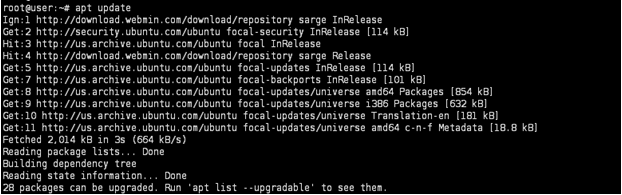
root@Ehost-test:~# apt update
root@Ehost-test:~# apt upgrade
2) ClamAV 설치
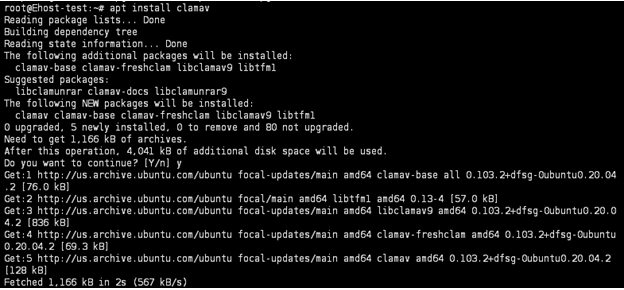
root@Ehost-test:~# apt install clamav
3) ClamAV DB 업데이트
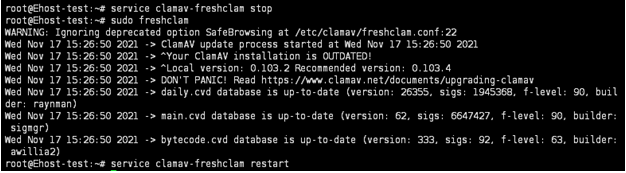
root@Ehost-test:~# service clamav-freshclam stop
root@Ehost-test:~# freshclam
root@Ehost-test:~# service clamav-freshclam restart
:DB 업데이트는 백그라운드로 자동 실행 및 업데이트 되고 있으므로 안 해도 무방합니다. 최초 설치 후 즉각적인 업데이트가 필요한경우에만 사용을 권장합니다.
4) 바이러스 스캔
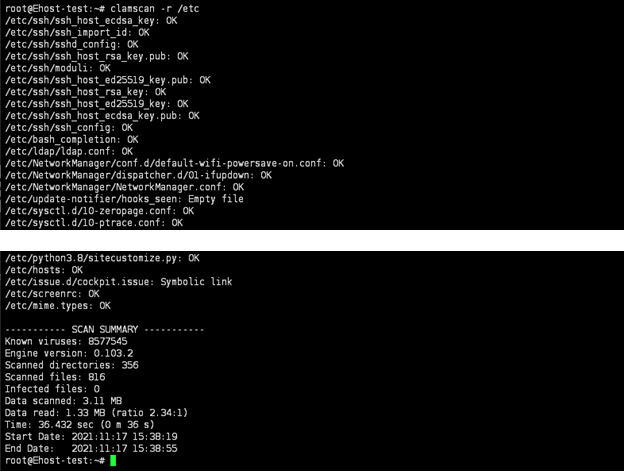
root@Ehost-test:~# clamscan -r [디렉토리 경로]
감사합니다.
자세한 사양과 요금은 일본 IDC 단독서버 · 일본 클라우드서버 페이지에서 확인하실 수 있습니다.
